

Last Updated: October 24, 2026
Quick Summary
Professional APA formatting help catches formatting problems before your committee does, so you get your work right the first time and move through approvals faster. Doctoral students make mistakes with page setup, margins, citations, and reference formatting that delay graduation, but setting up your document correctly before writing prevents most issues.
- Set page margins to 1 inch on all sides, use Times New Roman 12 point, and double-space throughout before writing your first sentence
- Use author-date in-text citations with the pattern (Author, Year) and match every citation to a reference list entry
- Apply first-line indents of 0.5 inches to all paragraphs and hanging indents to your reference list using your word processor, never the Tab key
- Check your formatting with a checklist before submission, including page numbers in the header starting from page 2 and no extra spacing between paragraphs
- APA 7th edition remains the current standard in 2026, and program-specific memos overlay APA rules rather than replace them
Table of Contents
- Why Professional APA Formatting Help Matters for Doctoral Students
- Setting Up Your Document: Page Setup and Margins
- Creating an APA Title Page Example That Meets Committee Standards
- Font, Line Spacing, and Paragraph Indentation in APA 7th Edition
- APA In-Text Citation Examples and Reference List Formatting
- Using an APA Dissertation Formatting Checklist Before Final Submission
- When to Get Professional Editing and Formatting Support
- Frequently Asked Questions
Why Professional APA Formatting Help Matters for Doctoral Students
Getting your dissertation approved is hard enough without worrying whether your page setup, citations, and formatting match APA 7th edition standards.
Committees care about both content and presentation. A poorly formatted dissertation signals carelessness, even if your research is solid, and your committee will ask you to fix issues before approving your work.
Professional APA formatting help catches these problems before your committee does. You get your work right the first time, move through approvals faster, and stay on track to graduation.
Setting Up Your Document: Page Setup and Margins
APA 7th edition page setup is not complicated, but it is easy to get wrong once your document grows past a few pages.
Here is the baseline every APA 7 student paper needs:
- Paper size: 8.5 by 11 inches (US Letter)
- Margins: 1 inch on top, bottom, left, and right
- Orientation: portrait
- Page numbers: top right corner of every page, starting with page 1 on the title page for student papers
A quick note on 2026: APA 7th edition remains the current style guide, and no new edition has replaced it. If your program publishes a 2026 formatting memo, treat it as an overlay on top of APA 7, not a replacement.
Word workflow, start to finish
- Open a blank document. Do not start from a template you found online unless your program provided it.
- Go to Layout, then Size, and confirm Letter (8.5 by 11).
- Go to Layout, then Margins, and choose Normal (1 inch on all sides).
- Go to Layout, then Orientation, and confirm Portrait.
- Open the Header area by double-clicking the top of the page. Insert a page number in the top right using Insert, then Page Number, then Top of Page, then Plain Number 3.
- Set your base style. Right-click Normal in the Styles pane, choose Modify, set Times New Roman 12 point (or your program's approved font), double spacing, and 0 point before and after.
- Set first-line indent to 0.5 inches in the Paragraph dialog so you never touch the Tab key.
Google Docs workflow, start to finish
- Open a blank document. Go to File, then Page setup.
- Set Paper size to Letter and all four margins to 1 inch. Choose Set as default if you want this for future files.
- Go to Insert, then Page numbers, and choose the option with the number in the top right.
- Go to Format, then Line and paragraph spacing, and choose Double.
- Go to Format, then Align and indent, then Indentation options, and set First line to 0.5 inches.
- Set your font to Times New Roman 12 point from the font menu and apply it to the whole document with Ctrl+A or Cmd+A.
Troubleshooting the problems that show up later
- Pasted text shifts your margins. When you paste from a website or PDF, use Paste and Match Formatting (Ctrl+Shift+V in Word, Cmd+Shift+V in Google Docs) so you do not drag in hidden spacing.
- A stray section break resets margins. In Word, turn on the paragraph mark view (Home, then the pilcrow icon) and look for Section Break markers. Delete the ones you did not intend.
- Page numbers restart or disappear. Check that your header is not set to Different First Page unless your program requires it, and confirm the page number field is linked to the section.
- The whole document looks single spaced. Your Normal style may have been overridden. Reapply the style rather than selecting text and changing spacing manually.
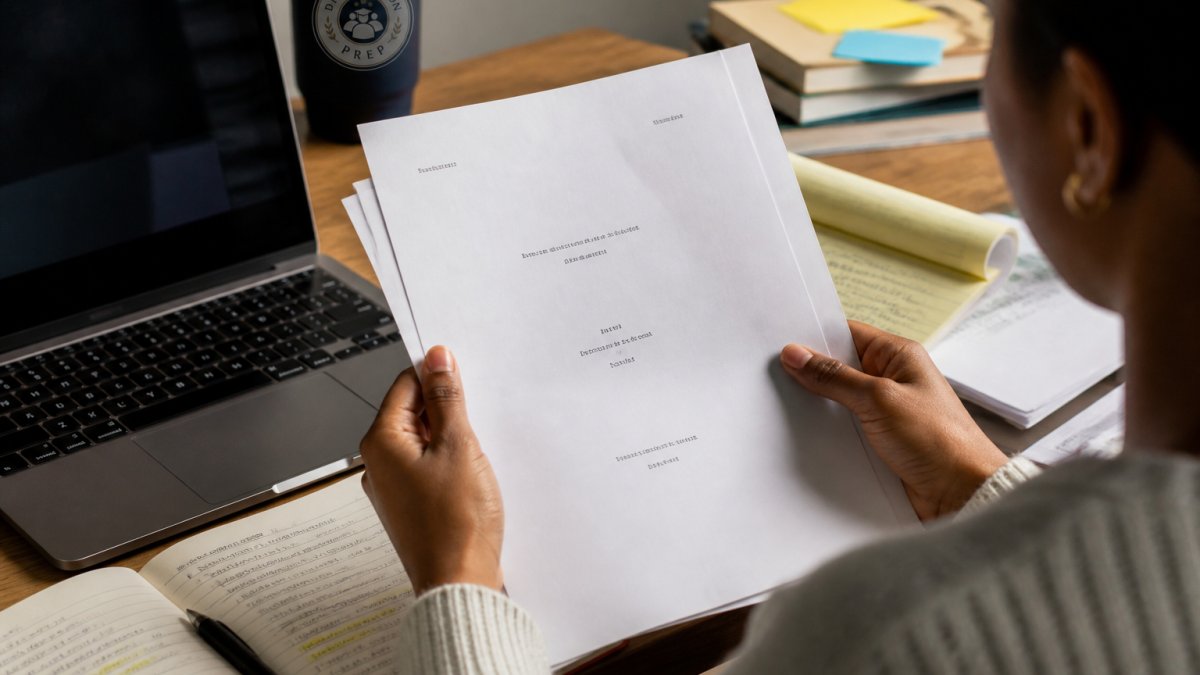
Creating an APA Title Page Example That Meets Committee Standards
Your APA student title page is the first thing your committee sees, so it needs specific elements in the right order.
All text on the title page should match the rest of your paper: Times New Roman, 12-point font, double-spaced throughout.
Many students add decorative elements or extra spacing to make the title page look impressive. Don't. APA format is plain and consistent, and your committee expects a standard title page.
Font, Line Spacing, and Paragraph Indentation in APA 7th Edition
APA 7th edition accepts several fonts, including Times New Roman, Calibri, and Arial. Most universities expect Times New Roman, 12-point font, so check with your committee chair before you start writing.
Use double-spacing throughout your paper, set to exactly 2.0 in your word processor's line spacing menu. This applies to body text, headings, and the reference list.
APA format uses a first-line indent of 0.5 inches from the left margin. Do not use the Tab key. In Word, go to Home, then Paragraph, and set the first-line indent to 0.5 inches. In Google Docs, go to Format, then Paragraph, and set the first-line indent. Spacing between paragraphs should be zero, with no extra space before or after.
Common mistakes to avoid:
- Using single or 1.5 spacing instead of double-spacing
- Indenting all paragraphs instead of just the first line
- Adding extra space between paragraphs
- Using the Tab key for indentation
APA In-Text Citation Examples and Reference List Formatting
In-text citations in APA 7 use the author-date method. The basic pattern is simple, but the edge cases are where most dissertations get flagged.
The standard pattern
When you quote or paraphrase a source, include the author's last name and the year. If the author's name appears in your sentence, put only the year in parentheses.
- Paraphrase with parenthetical citation: Research shows that students benefit from structured feedback (Smith, 2024).
- Paraphrase with narrative citation: Smith (2024) found that students benefit from structured feedback.
- Direct quote: "Structured feedback improves retention" (Smith, 2024, p. 47).
Edge cases that cause the most revisions
Missing date. Use n.d. in place of the year in both the citation and the reference entry.
Group author. Spell out the group name the first time, then use the abbreviation in later citations.
Dissertation Editing, APA Format, Grammar →
Multiple works in one citation. List them alphabetically and separate with semicolons. Example: (Brown, 2021; Smith, 2024).
Secondary source. Cite the source you read, and name the original in the text.
Reference list formatting
Your reference list starts on a new page with the word References centered and bolded at the top. Entries are alphabetical by author last name, double spaced, with a 0.5 inch hanging indent.
- Book: Smith, J. (2024). The title of the book. Publisher Name.
- Journal article: Smith, J. (2024). The title of the article. Journal Name, 15(3), 234-251. https://doi.org/10.xxxx/xxxxx
- Webpage with a group author: American Psychological Association. (2020). Title of the page. https://www.example.com
To set the hanging indent in Word, select the reference list, open the Paragraph dialog, and set Special to Hanging at 0.5 inches. In Google Docs, use Format, then Align and indent, then Indentation options, and choose Hanging.
Matching citations to references
Every in-text citation needs a matching reference entry, and every reference entry needs at least one in-text citation. A common pattern is a reference list that includes sources the writer read but never cited, which committees flag quickly. Do a find-and-check pass: search each author surname in the body, then confirm the reference entry exists and the year matches.
What is confirmed for 2026
APA 7th edition is still the current guide, and no replacement edition has been announced. If your program publishes a 2026 memo, it usually covers submission logistics, font preferences, or title page variations, not the core citation rules. When in doubt, follow APA 7 for citations and references and your program memo for submission format.
Set the hanging indent once on the whole list, then walk through the edge cases above one by one before you submit.
Using an APA Dissertation Formatting Checklist Before Final Submission
Before you submit your dissertation, use a checklist to catch formatting errors. Going through each item takes an hour or two but saves you from committee-requested revisions.
Here's what to check:
| Item | Status | Notes |
|---|---|---|
| All margins set to 1 inch | [ ] | Top, bottom, left, right |
| Font is Times New Roman, 12 point | [ ] | Entire document |
| Double-spacing throughout | [ ] | Body, headings, references |
| First-line indents on all paragraphs | [ ] | 0.5 inches |
| Page numbers in header | [ ] | Starting from page 2 |
| Title page formatted correctly | [ ] | Centered, no page number |
| In-text citations use author-date format | [ ] | (Author, Year) |
| Reference list in alphabetical order | [ ] | By author last name |
| Hanging indents on references | [ ] | 0.5 inches |
| No extra spacing between paragraphs | [ ] | Only double-spacing |
| Headings consistent and formatted | [ ] | Levels 1-5 as needed |
| No orphaned lines or awkward breaks | [ ] | Check page breaks |
Print a copy and read it on paper to catch formatting issues you miss on screen. Check that page breaks fall in the right places and no single lines appear at the top or bottom of a page.
When to Get Professional Editing and Formatting Support
You've done the hard work of research and writing. Now make sure your formatting is flawless.
Professional editors know APA 7th edition inside and out, format documents quickly and correctly, and catch grammar and style issues.
DissertationPrep offers Dissertation Editing, APA Format, Grammar services that handle both content and formatting.

You can also explore Dissertation Coach vs Chair Support: Key Differences to understand how professional guidance complements your committee's feedback. For ongoing support, Dissertation Accountability Coaching: A How-To Guide helps you stay on track and meet your deadlines.
Professional editing is a small investment compared to delaying your graduation.
Getting your APA formatting right shows your committee you're serious about your work.
Frequently Asked Questions
Does APA 7th edition still apply in 2026?
Yes. APA 7th edition remains the current standard for 2026, and most doctoral programs expect it. However, always confirm with your committee chair or graduate program guidelines, as some institutions may have specific requirements or timelines for updates. When in doubt, ask your chair directly rather than assuming based on what you've heard from peers.
What should an APA title page example include for a dissertation?
An APA student title page includes your paper title (centered, title case), your name, your institutional affiliation, course number and name, your instructor's name, and the due date. All elements are centered and double-spaced. The running head and page number appear in the header. This layout differs from professional title pages, so use a template or example specific to student work, not business formatting.
What are the most common APA formatting mistakes?
The top mistakes include incorrect margins (use one-inch on all sides), wrong line spacing (double-space throughout), missing or incorrect page headers with running head, improper first-line indentation (0.5 inches), inconsistent heading levels, citation formatting errors, and hanging indent issues in the reference list. Many students also forget to check that their in-text citations match their reference entries exactly.
How do I know when to seek professional APA formatting help?
Consider professional help if you're spending more than a few hours on formatting, your committee has flagged formatting issues multiple times, you're unsure whether your citations are correct, or you're juggling multiple document versions and losing track of consistency. Many doctoral students find that professional editing saves time and prevents resubmission delays. DissertationPrep offers dissertation editing with APA formatting expertise starting at an hourly rate, so you can choose the level of support that fits your needs.

-
Message For Students
-
Dani Babb PhD
- Founder of Dissertation Prep
& 20+ Year Doctoral Mentor